
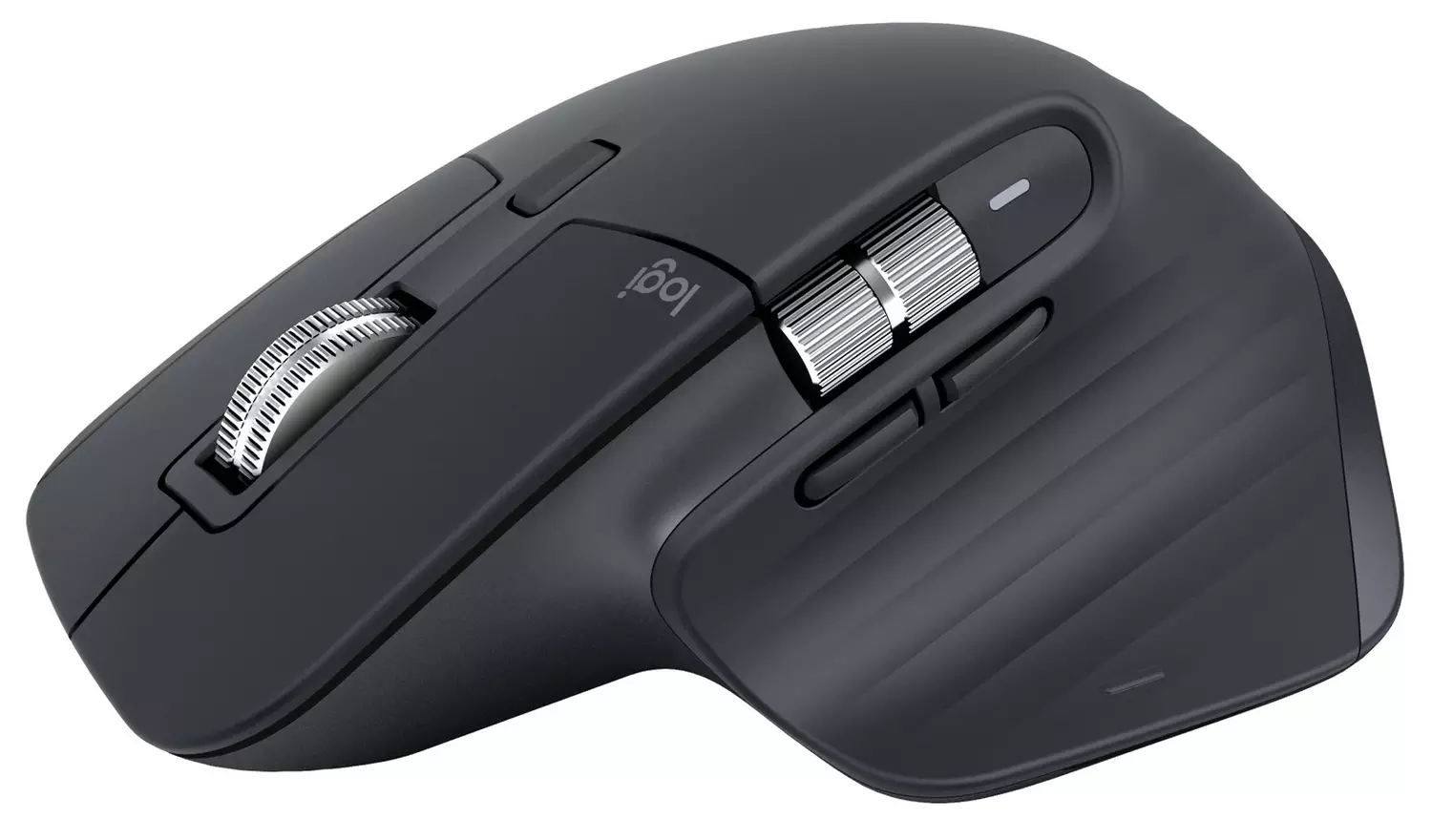
Research checked 24 September 2026. I think the Logitech MX Master 3S Bluetooth Edition remains a very sensible productivity mouse, but only when you buy it for Bluetooth rather than accidentally buying the version you thought came with a receiver. Its appeal is easy to understand: a shaped right-handed body, quieter buttons and tracking that is designed to work on surfaces that defeat ordinary mice. The trade-off is that convenience hinges on your computer’s Bluetooth behaving properly, while the Bluetooth Edition name matters more than it first appears.
This is not a mouse trying to be everything to everyone. It is a full-size, comfort-led option for work rather than a symmetrical pointer for left-handed users or a stripped-back travel mouse. For me, that focus is a strength. Logitech has concentrated on the things that affect a long working day: less noisy clicking, accurate cursor movement and a design intended to support a more natural hand position. Just do not let the familiar MX Master name blur an important distinction in connectivity.
Quiet clicks are more useful than they sound
According to Logitech, this model has Quiet Clicks and an 8,000 DPI sensor. Quiet buttons are not merely a nice line on a box. They matter when a desk is in a shared office, a library-like workspace or a room where constant mouse clicks become surprisingly intrusive. A quieter click does not alter how much work gets done, of course, but it makes a productivity mouse easier to live with around other people.
The 8,000 DPI figure should be read with a little perspective. It denotes sensor sensitivity, not a promise that everybody should run their pointer at the highest setting. Most people will choose a level that feels controlled on their display and desk. What matters more is that Logitech specifies tracking on glass at least 4mm thick. That gives the mouse a practical advantage for tidy desks, meeting tables and other places where laying down a mat is inconvenient.
There is a real condition attached to that claim: the glass needs to be at least 4mm thick. Thin glass is not covered by Logitech’s stated capability, so I would not buy it solely on the expectation that it will work on every glass surface. It is a useful flexibility feature, not an excuse to ignore the surface requirement.
The word Bluetooth is the buying decision
My main reservation is not the sensor or the quieter switches; it is expectation-setting around connectivity. This is the Bluetooth Edition. Bluetooth is appealing because it can leave a precious USB port free, especially on slimmer laptops and docking setups already crowded with peripherals. It also makes the mouse a cleaner proposition for someone who prefers not to have a receiver permanently attached.
That does not mean a Logi Bolt receiver should be assumed to be in the box. Buyers who specifically need a receiver should verify the retailer’s box-contents information before ordering. That is not a fussy technical detail. It changes whether this is an immediately suitable purchase for a device where Bluetooth is unavailable, restricted or simply not the preferred connection.
Amazon.co.uk’s AI-generated customer-feedback summary also describes Bluetooth experiences as mixed. That summary is not the same as a line-by-line assessment of every customer review, but it is still a fair reason to take the connection side seriously. I would regard it as a prompt to confirm your own computer’s Bluetooth requirements and the package contents, rather than as proof that the mouse will be troublesome for every owner.
Comfort has to be the priority
The right-handed sculpted design is central to the appeal here. Amazon’s customer-feedback summary highlights comfort and ergonomics alongside quiet clicks, which fits the mouse’s productivity-first positioning. A mouse intended for sustained desk work should not treat comfort as an afterthought, and this one plainly does not.
Still, ergonomics are personal. A shape that suits one hand can feel wrong to another, and anyone who prefers a compact mouse or a symmetrical form should not assume the MX Master approach is automatically better. The available feedback is encouraging, but no customer summary can decide hand fit for you. This is best viewed as a deliberately shaped, right-handed mouse for people who actively want that style.
Pros and cons
What I like
- Quiet Clicks make sense for shared and quieter workspaces.
- Logitech specifies an 8,000 DPI sensor with tracking on glass at least 4mm thick.
- The sculpted productivity design is supported by positive customer-feedback themes around comfort and ergonomics.
- Bluetooth keeps a USB port free when it suits the computer setup.
What gives me pause
- Amazon’s customer-feedback summary reports mixed Bluetooth experiences.
- The Bluetooth Edition should not be bought on the assumption that a Logi Bolt receiver is included.
- The shaped right-handed design will not suit people who want a symmetrical or compact mouse.
- Glass tracking has Logitech’s stated minimum 4mm glass-thickness requirement.
What buyers are saying
Amazon.co.uk’s AI-generated customer-feedback summary identifies comfort, ergonomics and quiet clicking as recurring positives. Those are the right strengths for this sort of mouse: they concern the parts of the design that matter more over a workday than headline sensitivity numbers alone. Read the Amazon customer-feedback summary for the retailer’s summary.
The same summary flags mixed Bluetooth feedback and some confusion about Logi Bolt receiver inclusion. That reinforces my view that connectivity is the one detail to settle before purchase. See the Amazon customer-feedback summary for the relevant feedback summary.
An alternative when haptics matter
Consider the Logitech MX Master 4 when customisable haptic feedback is a priority. It is a newer MX Master alternative, but newer does not automatically mean a better fit. Compare its connectivity, ergonomics and features with this Bluetooth Edition rather than treating it as an automatic upgrade.
Would I buy it?
Yes, I would recommend the MX Master 3S Bluetooth Edition to a right-handed desk worker who values a comfort-focused shape, quieter clicks and the freedom to use Bluetooth without consuming a USB port. The glass-tracking specification is a worthwhile bonus, provided the surface meets Logitech’s 4mm requirement.
I would point anyone who needs a bundled Logi Bolt receiver, dislikes larger sculpted mice or wants a symmetrical design towards something else. The one condition that changes my recommendation is simple: confirm exactly what comes in the box and that Bluetooth is the connection you genuinely want. Do that, and this is a focused, capable productivity mouse rather than an expensive mouse with an avoidable compatibility surprise.
Affiliate disclosure: this review contains an affiliate link. If you buy through it, we may earn a commission at no extra cost to you.
Check the Logitech MX Master 3S Bluetooth Edition listing on Amazon.co.uk
